Native macOS App

Monitor everything.
Miss nothing.

Whether you're running 2 services or 20, Watchtowers keeps every endpoint visible from your menubar — no context switching required.

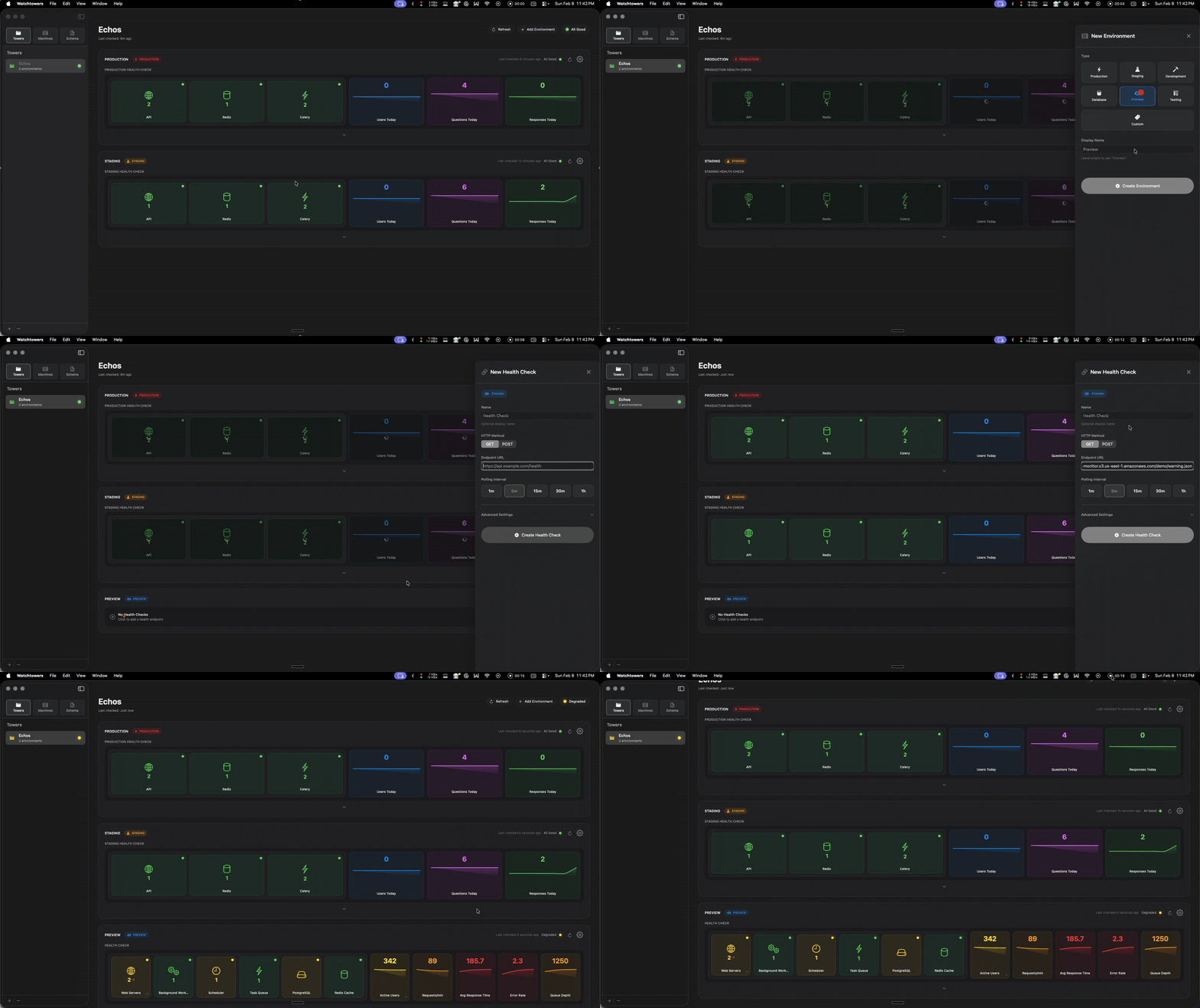
A dashboard that actually tells you something

Service cards show each component's health at a glance. Sparkline charts visualize trends over time. Status indicators pop with color.

Everything is driven by your health endpoint's JSON — return more data, get a richer dashboard. Start simple with just a status field, then add services and metrics as you go.
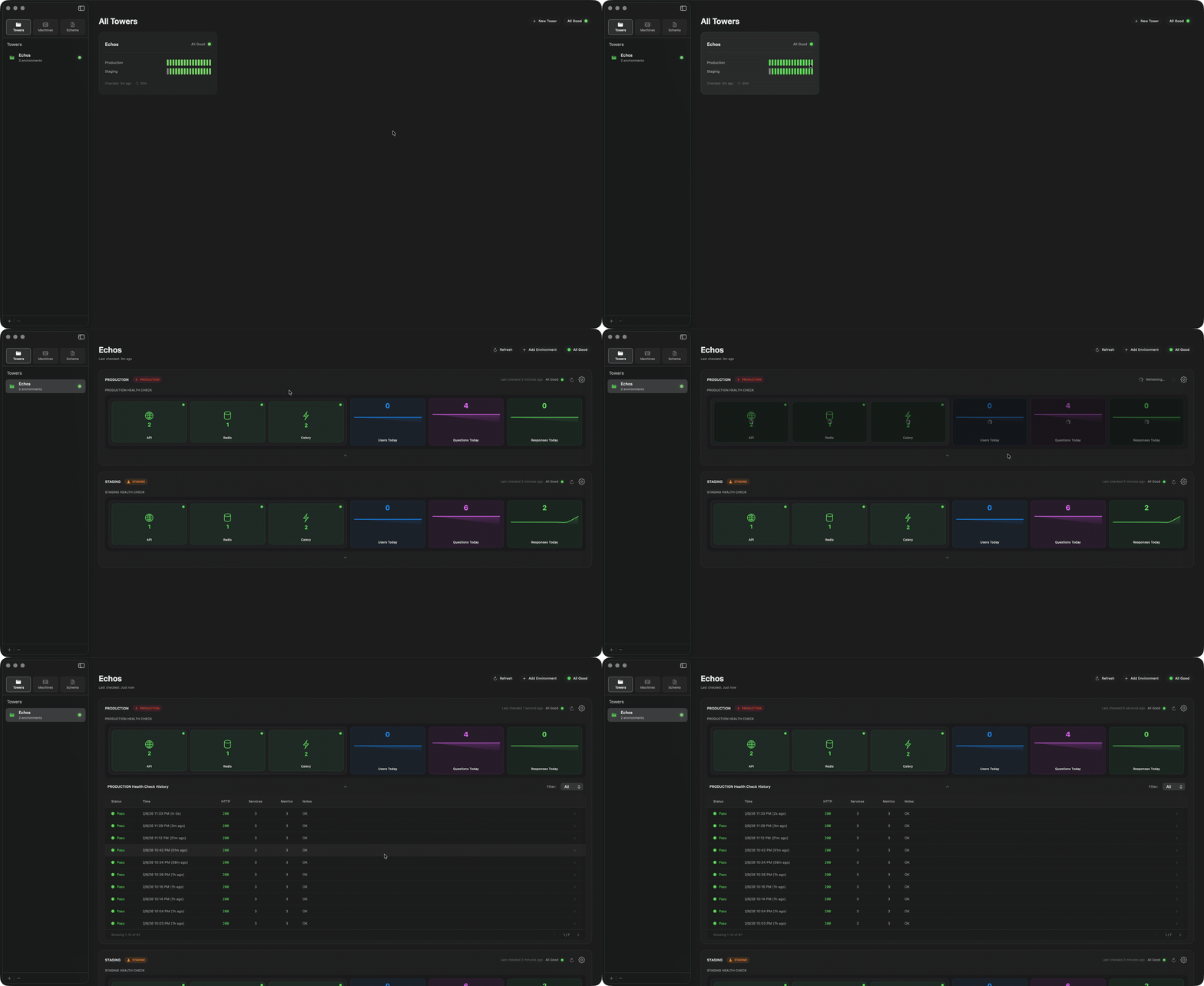
Watchtowers rich dashboard with service cards and sparkline metrics
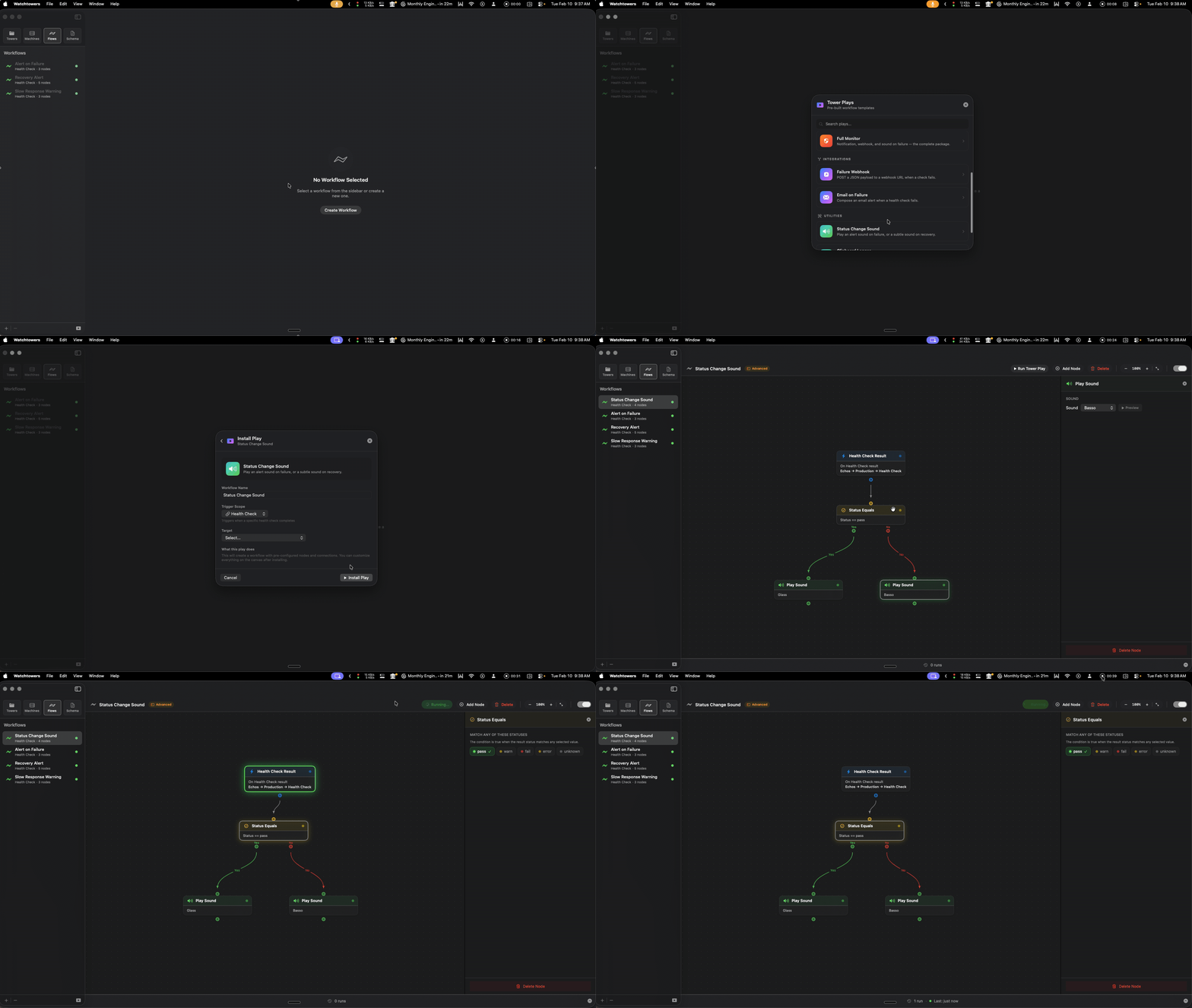
Watchtowers workflow builder with visual node canvas

Automate what happens when things break

Build visual workflows that trigger automatically on health check results. Send notifications, fire webhooks, play sounds, run shortcuts — all wired together on a drag-and-drop canvas.

Add conditions to route on status, response time, or JSON fields. Chain actions together. See every execution light up in real time with a full log and interactive JSON explorer.

Always one click away

Watchtowers lives in your menubar with a live status dot. Click it for an instant popover dashboard — no browser, no login, no loading.

Switch between projects, see environment status, drill into details. All without opening a single window.

Watchtowers menubar popover showing project status
Watchtowers project organization with environments

Organized the way you think

Group health checks into projects and environments. Production, staging, dev — each with its own status and visual identity.

Run multiple health checks per environment, each with independent polling intervals. See everything roll up into a single glanceable status per project.

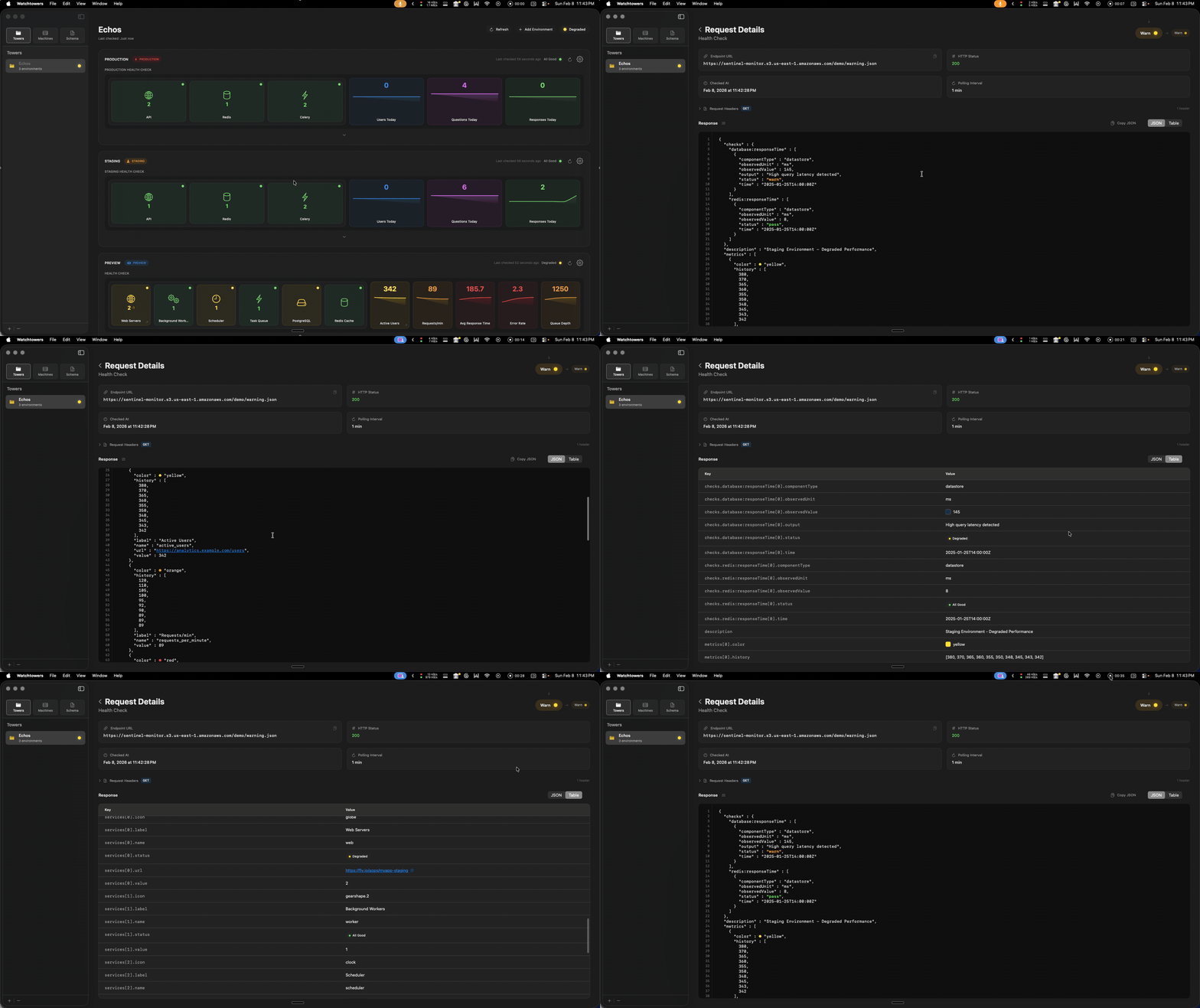
Every check, logged and searchable

Expand any health check to see its full request history. Filter by status, page through results, click into any row for the complete response.

Formatted JSON with syntax highlighting, a table view, request headers, and timing. Spot patterns before they become outages.

Watchtowers request history with detailed response view
Watchtowers authentication configuration

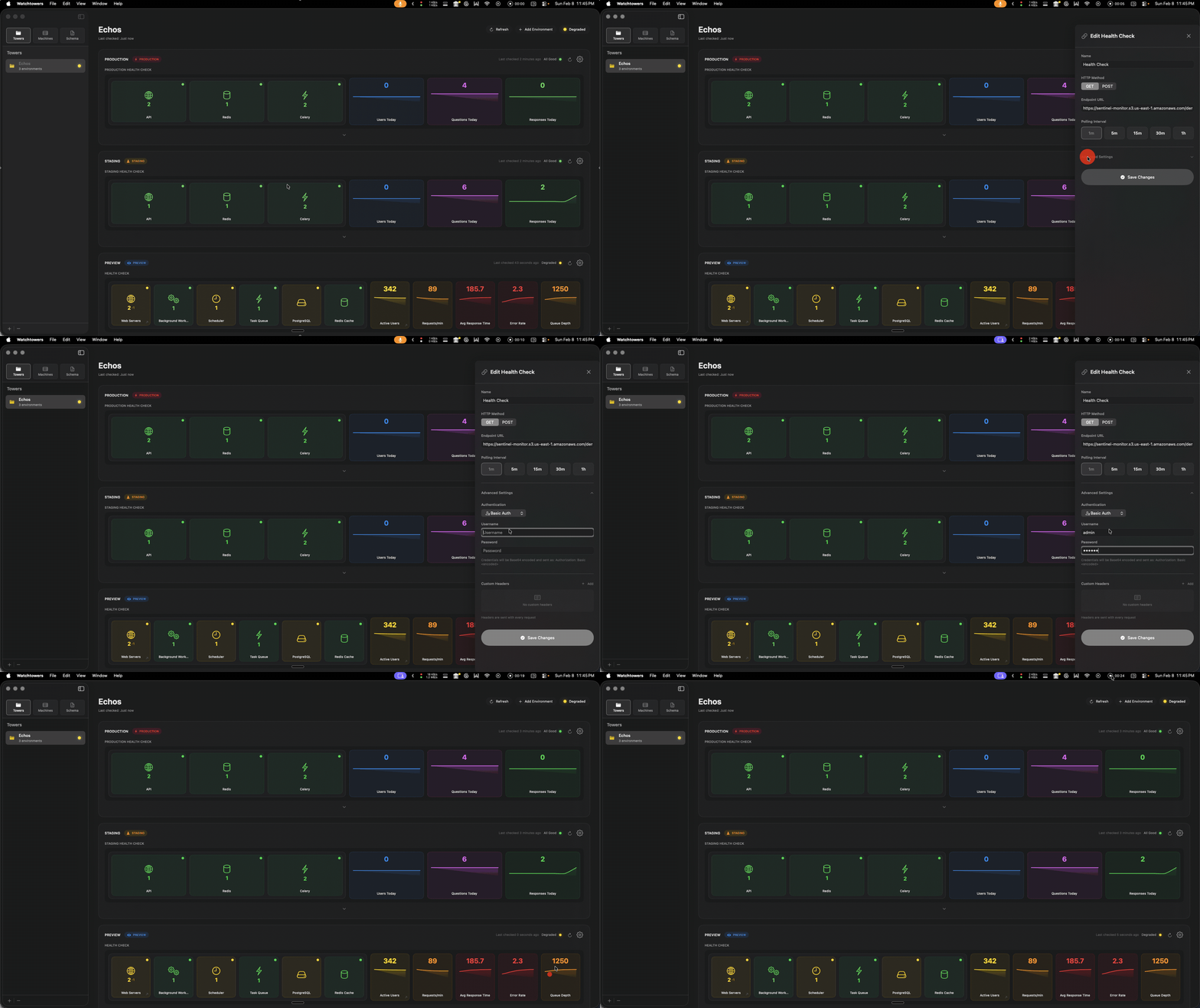
Your protected endpoints work out of the box

Bearer tokens, API keys, Basic Auth, and fully custom headers — all configured per health check. POST requests with JSON bodies are supported too.

No workarounds, no middleware, no proxies. Just point Watchtowers at your real endpoints.

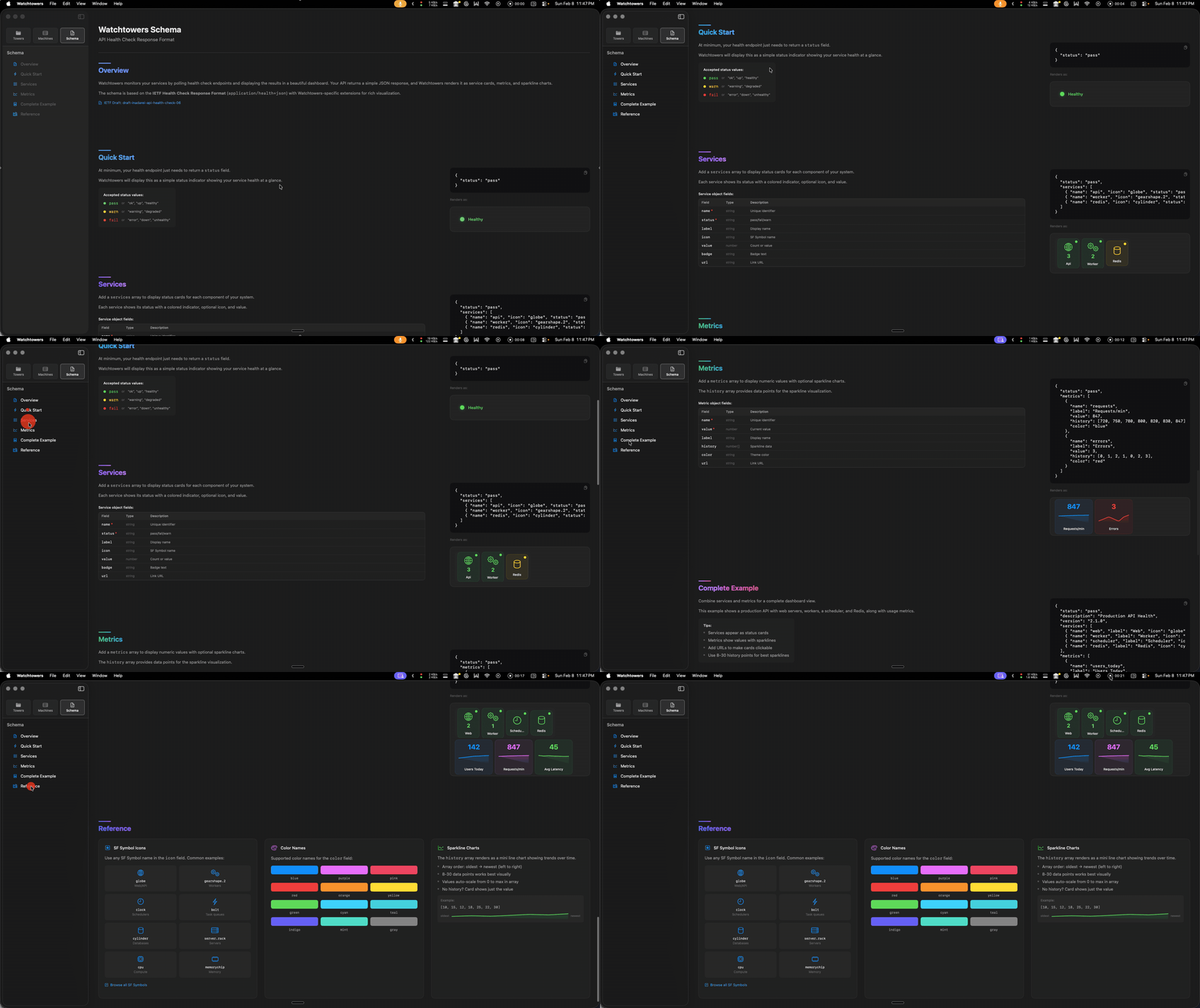
Schema docs built right in

Not sure what your health endpoint should return? The in-app documentation walks you through the IETF health+json format with live examples, code blocks you can copy, and rendered previews.

See exactly how your JSON becomes dashboard cards. Start with just {"status": "pass"} and build from there.

Watchtowers in-app schema documentation with live examples